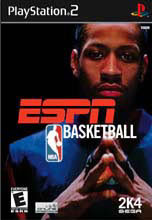
All About ESPN NBA Basketball - Guide for ESPN NBA Basketball
- Cheats |
- Unlockables |
- Hints |
- Easter Eggs |
- Glitches |
- Guides
Scroll down to read our guide named "All About ESPN NBA Basketball" for ESPN NBA Basketball on PlayStation 2 (PS2), or click the above links for more cheats.
EEEEEEEEEE  SSSSSSSSS  PPPPPPPPPP  NN       NN
EE          SS         PP      PP  NNN      NN
EE          SS         PP      PP  NN NN    NN
EEEEEEEE    SSSSSSSSS  PPPPPPPPPP  NN  NN   NN
EE                 SS  PP          NN   NN  NN
EE                 SS  PP          NN    NN NN
EEEEEEEEEE  SSSSSSSSS  PP          NN     NNNN


A.QUICK GAME
B.GAME MODES-1.STREET 1.A.FULL COURT 1.B.HALF COURT 1.C.1ON1
             1.D.21
             2.SEASON-2.A.FRANCHISE 2.B.SEASON 2.C.PLAYOFFS
             3.TOURNAMENT
             4.PRACTICE 4.A.STANDARD 4.B.FREE THROW
             5.ONLINE
C.TWENTY FOUR SEVEN
D.OPTIONS-1.NBA RULES
          2.GAMEPLAY
          3.GAME SLIDERS
          4.PRESENTATION
          5.MANAGE ROSTER 5.A.TEAM ROSTERS 5.B.TEAM ROSTERS
          5.C.CREATE PLAYER 5.D.CREATE TEAM 5.E.PLAYBOOKS
          5.F.RESET ROSTER
          6.CONTROLLER SETUP
E.LOAD/SAVE-1.USER RECORDS
            2.LOAD
            3.GAME SLIDERS
            4.SAVE ROSTER
            5.DELETE
F.EXTRAS-1.UNLOCKABLES 1.A.USER STATS 1.B.ITEMS
         2.ABOUT THE GAME (TRAILERS)
         3.JUKE BOX

------------------------------------------------------------------------------


A.QUICK GAME


     When you are going to play a quick game, select the team you want to play
with and the team that you want to play against. When you've selected the
teams, press R2 and L2 to toggle through the available jerseys that the 2 teams
can wear before you press start to advance. Then, you press start to adjust the
starting  lineups. Choose what you want to do with the lineups and press start
to play the game.


B.GAME MODES


     1.STREET

     1.A.FULL COURT

     When you are playing a full court street game, set up how you want the game
to be played, then press start to advance to side choosing then select the rosters.
After the rosters are selected, start the street game.

     1.B.HALF COURT

     When you are playing a half court street game, set up how you want the game
to be played, then press start to advance to side choosing then select the rosters.
After the rosters are selected, start the street game. Remember that when your
defense gets the ball to take it back from behind the 3-point line.

     1.C.1 ON 1

     Go to the 1 on 1 label, select 1 on 1, then, select your rosters after you
selct your settings, then, start to play your game of 1 on 1. Remember that when
you get the ball on defense, take the ball back behind the 3-point line.

     1.D.21
     Select your settings, then select the player you want to be and the players
that you want to play against, and be prepared to play a game of free up to 21.

     2.SEASON

     2.A.FRANCHISE

     In a franchise, you will play a series of seasons with your selected amount of
games. First, must pick your season settings. Then pick your teams that you want to
play the games with. After you have done this, you can manage your team(s) in the
main  franchise menu. You can trade players, waive them, or sign them. Also, you can
manage your personell. Like you can sign new coaches, assistants,trainers, and
rookie draft scouts. Also, my future coaches, you can adjust your lineup, you can
start different people at another position than their current starting position. For
example: I don't like playing Kevin Garnett at PF so i switch him to SF and switch
his starting position with Spree. Another thing that you can do in your franchise is
to scout rookies of any position and get a couple in the rookie draft. There will be
two rounds of the rookie drafting which will take like 7 minutes or less. Then your
players will go through the resigning period and will train either normally or the
way you specify their training camp. This is your franchise.

     2.B.SEASON

     In a season, you can do all the things you can in a franchise except for the
whole signing player thing.

     2.C. PLAYOFFS

     In a playoffs, you pick your settings, pick your teams, and play a tournament
of games.


     3.TOURNAMENT

     Same as playoffs,


     4.PRACTICE

     4.A.STANDARD

     Practice releasing the ball with excellent timing with 2 seperate teams. You
may think that the home team is the only one that can control the ball, but you have
to get a jumping reboud while on defense for the other team to get the ball.

     4.B.FREE THROW

     Practice shooting your free throws. Remember to get the analog icons in the
middle of the circle to light up,then stop the little ball directly in the middle.

     5.ONLINE

     Play against other ESPN NBA Basketball owners around the country!


C.TWENTY FOUR SEVEN


     In 24/7 mode, you play everywhere in the country until you finally get enough
rank points to go to Florida to play the international ballers at their courts.You
must go to training camp first to put up your attribute points which will help you
in your games to earn rank points.After you defeat your opponents (not in training
camp) you will get their cell phone number so you can call them to play in your 2 on
2 games. Other than skills, you can also earn items. For example, when you reach
1300 rank points, you will earn a retro Grizzlies set. This is pretty much all you
need to know about 24/7 mode.


D.OPTIONS

     1.NBA RULES

     Adjust the rules for your game play.

     2.GAMEPLAY

     Adjust how you want  and don't want inthe game.

     3.GAME SLIDERS

     Adjust the "sliders" to where you want them to be.

     4.PRESENTATION

     Adjust the presentation of your gameplay

     5.MANAGE ROSTER

     5.A.TEAM ROSTERS

     View player cards, view plyer ratings, assign free agents to a team, and/or
trade players.

     5.B.TEAM ROTATIONS

     Adjust the starting lineups of teams

     5.C.CREATE PLAYER

     Create a player and chosse his looks, complection, hair style tatoos, gear, and
his attributes.

     5.D.CREATE TEAM

     Create a team: Select their logo,make a team name,coach name,and a city name.
Then, choose players to be duplicated to be on your created team.

     5.E.PLAYBOOKS

     Change up your offensive/defensive plays to be used in a game.

     5.F.RESET ROSTER

     Reset the roster to the original roster before you ever played ESPN NBA
Basketball.

     6.CONTROLLER SETUP

     Choose what button should be used for what action, I reccomend Alternate
Control C.


E.LOAD/SAVE

     1.USER RECORDS

     Select your user record and edit it(or save it) or rename it. Or you can create
a new user record. Remeber to save your user record after every game. If you don't,
your records that just occured will be lost

     2.LOAD

     Load a saved game, record, roster, team, etc. (anything that has been saved)

     3.SAVE SETTINGS

     Save your settings if you have changed them up.

     4.SAVE ROSTER

     Save your roster if you have changed it up.

     5.DELETE

     Delete any of your saved files.


F.EXTRAS

     1.UNLOCKABLES

     1.A.USER STATS

     Check out your user records stats.

     1.B.ITEMS

     Check out what you have unlocked and what still needs to be unlocked. What is
in white is what you have unlocked and what is gray is what still needs to be
unlocked.

     2.ABOUT THE GAME (TRAILERS)

     Watch what's new for ESPN NBA Basketball or all the ESPN games. Or watch the
credits.

     3.JUKEBOX

     Select what songs you want to listen to from the albums you have unlocked.


THIS IS ALL OF ESPN NBA BASKETBALL, HAVE FUN PLAYING IT!