Controller Information - Guide for Steel Battalion
- Cheats |
- Unlockables |
- Hints |
- Easter Eggs |
- Glitches |
- Guides
Scroll down to read our guide named "Controller Information" for Steel Battalion on Xbox (Xbox), or click the above links for more cheats.
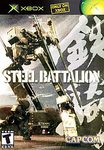
                       STEEL BATTION CONTROLLER INFORMATION

TABLE OF CONTENTS:

Section 1: Connection
Section 2: Basics
Section 3: Testing, 1, 2, 3
Section 4: Let The Games Begin!


SECTION 1: CONNECTION

Connecting the controller to Steel Battalion is a little bit more of a pain than
connecting the original controllers. In the box, there are 3 sets of control panels.
Each of them is marked with LEFT BLOCK, CENTER BLOCK and RIGHT BLOCK. Be sure you do
NOT get the left block and the right block mixed around. To connect these, snap them
together with the wire coming out of the left and right side of the center block. BE
SURE NOT TO PULL THE WIRES OUT TOO FAR OR THE CONTROLLER WILL NOT RESPOND!! Once you
have them in place, put the plastic black "pedals" over them. The Capcom company was
nice enough to include a small screw driver and 8 nails. The screw driver is located
at the bottom of the center block. Screw them in. Now, you've got the hardest part
completed. Now it's time to connect the controller to the Xbox councel. You may have
noticed that the Steel Battalion game comes with 3 pedals. Connect the wire coming
out of the pedals to the ORIGINAL STEEL BATTALION CONTROLLER, not the Xbox. Now,
connect the wire coming out of the controller to the Xbox and your Steel Battalion
controller is set. SEE SECTION 3 TO LEARN HOW TO TEST IT!

SECTION 2: BASICS

In this section, you will learn the basic controls. Starting with the Left Block,
the shifter is important. This will depend how fast you go. Check below for speed
limits:

REVERSE: Go backwards up to 30 MPH
NEUTRAL: Stay in place at 0 MPH
1: Go forward up to 20-30 MPH
2: Go forward up to 45-50 MPH
3: Go forward up to 55-60 MPH
4: Go forward up to 70-80 MPH
5: Go forwards up to 85-115 MPH.

Another important control on the left block is the left joystick. This stick depends
on which direction you go. The SIGHT CHANGE stick makes you look around at your
surroundings in a 180-degree line. To reset the SIGHT CHANGE to it's default
position, push it.

Now, lets move on to the center block. There's really nothing important to remember
except the Weapons Control buttons. These will switch weapons for you.

Now, the right block. The right joysick and the eject button are important. On the
joystick, the LOCK ON button will lock on to an enemy target. The MAIN WEAPON button
will shoot the current selected main weapon. The TRIGGER will shoot the Sub Weapon.
The EJECT COMMAND WEAPON will save your life and your game! When you've been shot
and your armor is at 0%, the EJECT COMMAND button will light up, recommending you
push it. The EJECT button is under a clear casing, do be sure you lift up the clear
case before pushing it.

SECTION 3: TESTING, 1 ,2 ,3

To see if the controller will respond, insert the disk and go to CONFIG and one
option you can choose from is testing the controller. Press all 40 buttons on the
controller and they should light up on the TV screen once you press it. If they
don't the controller isn't connected correctly. If ALL buttons respond, you're good
to go.

SECTION 4: Let The Games Begin!

In this section, I'll tell you how to start your VT. First, close the cockpit hatch
by pressing COCKPIT HATCH. Next, press IGNITION. Then turn on ALL Toggle Switches
and then press START. Then you're ready to go and kick some butt! GOOD LUCK!