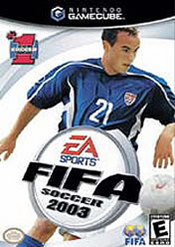
Fifa 2003 General FAQ - Guide for FIFA Soccer 2003
- Cheats |
- Unlockables |
- Hints |
- Easter Eggs |
- Glitches |
- Guides
Scroll down to read our guide named "Fifa 2003 General FAQ" for FIFA Soccer 2003 on GameCube (GameCube), or click the above links for more cheats.
*******************************************************************************
Fifa Football 2003 General FAQ
*******************************************************************************


Contents:

1) Legal Stuff
2) Basic Game Information
3) Introduction
4) Updates
5) Controls
6) FAQ's
7) Hints and Tips
8) Tournaments
9) Special Thanks/Credit
10)Contact information

*******************************************************************************
1) Legal Stuff
*******************************************************************************

This FAQ was created for personal use only and may NOT be put up on any web
sites other than:

Gamefaqs.com
Nintendogens.f9.co.uk
Cheatcodes.com

And this may NOT be reproduced under any circumstances except for either
personal or private use.  It may be placed on a
web site but ONLY with advanced written permission.  Use of this guide on any
other web site or of any public display is strictly prohibited, and a violation
of copyright.

Please do not hesitate to contact me if you spot something that needs corrected
or modified in any way, or even submissions or questions that you may have
towards this FAQ.  Send your e-mail to the address at the bottom of this FAQ
and I will reply as soon as I possibly can.

*******************************************************************************
2) Basic Game Information
*******************************************************************************

Fifa Football 2003
System(s): Nintendo GameCube (Also available for PS2, Xbox, PC and GBA.)
Memory card: 54 blocks
Players: 1-4 players simultaneously
Developer: EA Sports
Publisher: Electronic Arts

This guide of Fifa Football 2003 was made solely for the Nintendo GameCube
version and for the PAL region of the game only.  So therefore, slight
differences may occur in other versions/and or regions of the game.

*******************************************************************************
3) Introduction
*******************************************************************************

Being my first official FAQ, I aim to have high hopes for this.  I will do my
absolute best effort to make regular updates, when necessary, and keep this FAQ
up to date.  My main aim for this FAQ is to create a general guide for the GCN
version of Fifa Football 2003, along with some general hints and tips about the
game.  Yet again, if you feel that something should be added to this FAQ, send
me an e-mail and I will credit you for your work.  Now, into the game.

Fifa Football 2003 is the most realistic soccer game created to date, which has
many great features, which will be explained in greater detail in the FAQ.
With some outstanding graphics, realistic ball control and over 10,000 real
players and 350 official teams make this Fifa the best yet.

*******************************************************************************
4) Updates
*******************************************************************************

22/2/03 Version 0.75: Added Club Championship Data.

11/2/03 Version 1.00: First addition added, more FAQ's to be added soon.

*******************************************************************************
5) Controls
*******************************************************************************

These basic controls are for the Nintendo GameCube version of Fifa Football
2003 ONLY.  However, similar control methods are used for other version of
Fifa 2003.

MENU CONTROLS

D-Pad: Highlight desired option
Control Stick: Same as D-Pad
A button: Choose option
B button: Cancel option
X button: Next page/scroll (during option menu)

MICELLANEOUS CONTROLS
A button: Kick off
B button (tap): 1st time shot
C stick: Add ball spin (free kicks only)
L button: Goalkeeper Charge
START/PAUSE: Pause game

DEFENSIVE CONTROLS
Control Stick: Move player
A button: Switch Player
B button (hold): Conservative tackle
X button: Aggressive tackle/sliding challenge
Y button: Header

OFFENSIVE CONTROLS

Control Stick: Move player
A button: Pass
B button: Shoot (more info in advance controls)
X button: Lob/Cross
Y button: Through ball
R button (hold): Sprint
L button: Player runs (more info in advance controls)
C Stick: EA Freestyle control (more info in advanced controls)

ADVANCE CONTROLS

Shooting (power meter): Pretty simple to understand, more difficult to get used
to.  The longer you hold in either the B, X or Y button, the harder (or
further) the ball will go.

Shooting (direction): Generally, whatever way your player shooting is facing,
he will shoot in that direction.  But if you position your control stick in a
particular direction, your player should hit it accordingly.  Note that some of
the weaker players do not have as great skill as others when it comes to
finishing, so patience is needed!

Player runs: By holding or quickly tapping the L button, you will notice your
player making a run in the direction of a dotted line.  This is almost
essential when it comes to through balls, as players run into space away from
their defenders.

EA Freestyle Control: This is a brand new feature that EA have thrown in to
Fifa 2003.  Basically, this replaces the old skills and flicks you could pull
off in past Fifa games.  Instead, the C Stick gives you complete control over
movement, just like the control stick, only you can now produce knock-ons and
lay-offs with a quick flick of the C Stick.  This is a feature that takes some
time getting used to, but when used correctly, can pull off some great turns
and runs on defenders.

*******************************************************************************
6) FAQ's
*******************************************************************************

I'll be trying to update this section as frequently as possible when I receive
e-mails from puzzled fans, so if you have a question that IS NOT answered here,
that is relevant to the game, then I'll be more than happy to answer it.  I'll
not be doing basic soccer rules such as how many substitutes, as the game is
just like the real sport as far as rules are concerned.

Q: Is this game any different from Fifa 2002 World Cup or past Fifa games?

A: Like most other EA Sports games, it does have a reputation of being yearly
updates, with just team and stats updates.  However, I truly believe that this
is the best Fifa game to date, enhanced graphics, better control over the ball
and new control system etc.  You can tell that EA Sports have really put a lot
into this one, and it shows.

Q: Has the way you take free kicks been changed to make the game more realistic
as older versions of FIFA haven't had great ways to take them?

A: One major improvement over last year's addition is the awesome new free kick
control system.  You can now pick off the exact position of where you want the
ball to go, along with the power of the shot and even ball spin to make the ball
swerve into the top corner, scoring a dream free kick.  So yes, free kicks are
greatly improved over previous additions.

Q: Is the AI harder to beat or is it still as stupid as ever and every game
will be 6 or 7-0?

A: EA have done a great job with Fifa 2003 as far as the AI is concerned.
Taking one player up the pitch and scoring is now near impossible.  And if you
are beating the opposition by a large margin, you will be recommended to change
the difficulty level to one of four, from Amateur, Semi-pro, Professional and
World Class.

Q: Has the gameplay changed to take it more realistic e.g. the ball bobbling
on the surface or taking deflections off of people because in older versions
the ball seemed to pass straight players?

A: You bet. Player deflections are a great addition to Fifa 2003, making the
game even more realistic.  The ball physics have also been greatly enhanced,
again making the game more realistic than ever.


Q: Does the speed of the power bar depend on what predicament you are in when
shooting? Like if you were running full speed and off balance the power bar
would rise quicker so you have more chance of hitting it over the bar or is
will the shot be as accurate as if you were in a perfect position for shooting?

A: Yet again, the game is just like soccer itself, so if you are in a less
likely position to score, your chances will be greatly reduced.  So yes, if you
are off balance or running TOO fast, your shots will be less accurate.

Q: Can you edit existing players looks/playing attributes?

A: No.  You can only make transfers using the same format as in previous Fifa
outings.

Q: Is there still a power bar for passing?

A: For some reason, EA decided to remove the power bar for passing for Fifa
2003.  Which is actually a move for the best, seeing as the through ball can
pull of almost exactly the same use as the old passing system.  Passing the
ball now goes direct to a teammate instead of moving into open play.


Q: Can you create your own team?

A: No.  But you can sign almost anyone you want as long as you have the funds
available.  So creating your very own dream team can be pretty easy, unless you
want to add yourself in the game, which you can't.

*******************************************************************************
7) Hints and Tips
*******************************************************************************

As Fifa Football 2003 has no proper walkthrough, this section will be to assist
you as much as possible with some general hints and tips for the game.  There
will not be too much here for the first few versions of the FAQ, but I hope to
add many more as time goes on.

If you know a tip that is not mentioned here, or on any of the FAQ, send me an
e-mail with your name and tip and you will be fully credited for your help.

EA Freestyle control: Try to master using the C stick as well as the control
stick for dribbling the ball.  Doing so can pull off some great moves and
knock-ons to leave the defenders stranded.  Also, try rotating the stick to
pull off some great tricks with the ball.

Bringing out Goalkeeper: Deciding to bring out your goalkeeper at the perfect
moment is crucial.  By bringing him out, obviously not too far, you
dramatically decrease the opponent's chances of scoring.  You have a far greater
chance of winning the ball if it is played far up towards the striker and your
bring him out immediately.

Unlockable Stadiums: Seoul - Win International cup with any team
                     Stade de France - Win Club Championship with any team

*******************************************************************************
8) Tournaments
*******************************************************************************

In the future I will have a complete list of all tournaments and what happens
after completion of that particular tournament.  The following list contains
the basic information about the tournaments in Fifa 2003:

Club Championship:
Type of team - Club team from selection of 18 top European sides
Description - 18 team league, play each team twice during season.  Top 8 teams
then enter knockout competition for Club Championship trophy.
Reward - Stade de France (Stadium)

EFA Trophy:
Type of team - Any club team from around the world

European Champions Cup:
Type of team - Any club team from around the world

World Tour:
Type of team - Any club team from around the world

Regional Challenge:
Type of team - Any European Club team

Ladder Tournament:
Type of team - Any club team from around the world

International Cup:
Type of team - Any international team
Reward - Seoul (Stadium)

Custom Tournament:
Type of team - Any team

*******************************************************************************
9) Special Thanks/Credit
*******************************************************************************

I owe many people a thank you for helping me put together this PAL Fifa 2003
FAQ.  In no particular order:

Gamefaqs: One of the best sites on the internet today and the number 1 source
for gaming information.

EA Sports: For providing such an excellent game for me to spend my time on.
Keep up the good work!

Kidd Krash: Great help with FAQ section and contributed well to the FAQ

*******************************************************************************
10) Contact Information
*******************************************************************************

My preference for contact would be over MSN, but an e-mail would also be OK if
you wish to add or give any suggestions to the FAQ.

MSN Address: [email protected]
Hotmail: [email protected]

Copyright 2003 Colin Henderson