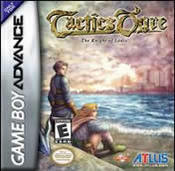
Players Guide - Guide for Tactics Ogre: Knights of Lodis
- Cheats |
- Unlockables |
- Hints |
- Easter Eggs |
- Glitches |
- Guides
Scroll down to read our guide named "Players Guide" for Tactics Ogre: Knights of Lodis on Game Boy Advance (GBA), or click the above links for more cheats.
#########** ###
###***######### #
# # ##
# # ## *## *##** ## *## ## #
## ** ## ### ## ## #### ### ## ##* **
### ## ## ## ## ## ##
### ##### ## ## ## ## ####
### # ## ## ## ## ## ####
### ## ## ## ## ## ## # ####
####### ###*### ##### ## ### ##### #*####*
### # ## ## ## ## ## ##*
** **
**
######** ###
### ####
* ** ## ** ## *### ##
** ## ## ## ## ## ##** #
## ## ## ## ## ## ##
## ## ## ## ## ## ##
## ## ## ## ## ###*
## ## ## ## ## ## *
## ** ## **# # ## # #####
##** ##*## ## ###
* ##
### #*
## #
The Knight of Lodis
Version 1.0
By Chris Hayes, Sudzi
Attention: This is a Japanese game. Therefore, this gaming guide is meant to help
people who do not speak Japanese and would not understand how to play this great
game to its highest peak. I would still persuade you to go and get this game. It
is far worth the money and you can play it on an American Gameboy Advance. If you
do speak Japanese, the walkthrough in this guide will help you greatly. Thank you.
Table of Contents
I. Control Figuration
II. Battle System
III. Edit System
IV. Classes
V. Walkthrough
VI. Secrets
Copyright: This FAQ is copyright 2001 to Chris Hayes. It may not be stolen,
altered, or used for any type of profit. It may be reproduced electronically, and
printed for private, personal use. It may not be placed on a CD, printed in a
magazine or any type of publication. This game is copyrighted to Quest and
Nintendo of Japan. If you would like to contribute to this FAQ (you will be
credited!), or have any questions, comments, or corrections, please feel free to
e-mail me at [email protected]. I will try to respond to your e-mail.
I. Control Figuration
The basic controls of this game are as follows:
A - The A button is the accept command. It is used throughout the game to buy
items at the shop and to send a command in a battle or a training mission. You
can also use the A button to speed through the text.
B - The B button is used to deny a command that you sent. When you make a mistake
and need to go back to another screen or command, press the B button.
Start - The Start button is only used at the start screen in the very beginning
of the game. This screen will lead you to four commands: New Game, Load Game,
Quest Mode, and Sound.
Select - The Select button can be used on anything. In English it would give you
information on the thing you selected, but because the game is in Japanese, this
command is worthless unless you can read Japanese.
R - The R button is probably the most used button in the game. On the Field Map,
the R button is used to bring up a string of commands:
The first box looks like a bunch of dots and an arrow. This is the Edit
Party command. If you choose this command, you can edit your teams items, change
their class, and check what their current level is.
The second box shows two clashing swords against a halved red and blue
flag. This is your training icon. Here you can train your characters to increase
their levels and earn some new medals as well.
The third box shows a picture of a scale. This is the shop of that town.
In here you can buy and sell equipment and magic, as well as recruit some new
characters. See how to shop in the walkthrough section of this guide.
The final command looks like a box with a different colored sphere on each
corner. This option command leads you to yet another string of commands:
This first box looks like a Red arrow coming towards a square of some
sort. This is the save command. When you click on it using the A button you can
save your current progress throughout the game.
The second box looks very similar to the first box, except that the arrow
is blue and it comes toward you. This is the load command. Here you can load
previously saved games in case you make a mistake and need to do something over.
The third box looks somewhat like a pumpkin on a napkin. This is actually
here to teach you the basics of the game, but because it isnt in English you
wont understand any of it unless you know how to read Japanese.
The fourth box shows a peculiar design. I dont know how to explain what
it looks like, but I do know that it is the options menu where you can change
different commands throughout the game. For example, you can change the text
speed and the sound of the game. This option was also available at the opening
scene. Because it is not in English, I recommend that you leave all the options
alone, therefore you wont mess up anything that you didnt intend to do.
The last box looks very similar to the first two boxes, except this arrow
curves and goes more towards the left. This is the reset button. Pushing this
will lead you back to the opening screen. Make sure to save first. It doesnt do
it automatically.
L - The L button is even more useless than the start button, because the only
real purpose it would be used for is to scroll through your characters in the
battle mode. But why use that when you can do it manually? You would also use it
to remove equipment off of a character.
II. Battle System
Training Start:
To get to the training mission, press the R button on the field map and click on
the command that looks like two clashing swords against a red and blue flag.
Clicking on this will lead you to a training mission.
In training, you start the battle with a huge box to the left that shows all of
your party members. This will be the blue team in the training mission. First you
must select whom you want to put down onto the map. Push the A button on a
characters to do this. A hand will be pointing above the characters head and
you can position him anywhere on the blue tiles. Push the A button when you have
decided where you want him. A message will come up asking you to decide what
direction you want the character to start at. Push the A button to decide. The
character screen will come up again and you can add some more characters onto the
map. To put characters on the opposing team, the red team, push the R button on
the character select screen during the Blue Teams character select phase. This
will lead to three commands:
The first box shows a red flag with a B underneath it. This will change
your attention towards the red team, where you can place characters the same way
you did for the blue team.
The second box has the same design as the edit character screen. If you
click on it, you can change the characters class and equipment right there and
then (an amazingly good thing
trust me) and then continue on in the training
battle. You cannot edit a character that is already on the map.
The last box is the same as the option command on the field map. All the
commands inside of it are the same as the options on the field command.
When you are all set to battle (both blue and red teams have the characters that
you wanted), push the R button again and click on the box that has the same
design as the training symbol. A question will come up. Choose the top command to
start the battle.
Battle Commands:
Now that you have done everything to prepare for the battle, you can attack. If
youre playing in a real battle, a screen will come up and tell you whether or
not you have to kill the leader or defeat all enemies to end the battle. Now you
start the battle. Click on the character that you want to move and (hopefully)
attack first. The tiles will come up again across the screen. This is the
movement range of that character. He can only move in the area of those squares.
Choose a tile where you want the character to be. The character will move there
and a bunch of options will come up.
The first square shows a picture of a sword. This is the button to press
if you want to attack a character. Both direct and in-direct attacks can be used
when you press this button, unlike Tactics Ogre on the Playstation.
If your character knows how to use magic, a command that shows a picture
of a wand will come up right next to the attack command. This is the use magic
command. On the first turn, a character cannot use magic. Everyone starts out
with 0 MP and it increases by 10 after every one of your turns. This is also the
command that will allow your character to use a technique that they have learned.
The next square shows a pouch and a hand reaching for it. This is the
Item Usage button. If you have wounded or dead characters, you can heal or revive
them with this command. All items are put together into one inventory and you
cannot equip individual items to characters, making the game a lot easier.
If one of your characters is standing right next to an enemy character, a
fourth command will come up that has a picture of a bubble with three dots in it.
This is the persuade command. If the character is below at least 5 Hit Points,
you can use this command to try and persuade someone to join your team. Unlike
the PS version, any character can persuade an enemy character, not just the
leader.
The final box shows a picture of a pair of shoes. Oddly, this is the wait
command. Pushing this button allows your character to wait when he cant attack
and there is no need to use an item. Pressing this button ends that characters
turn.
For a last minute note, here are some other commands you should know: When you
are ready to attack, and have all the characters you want on the battlefield,
press the R button. This will bring up some more commands.
The first box is a blue arrow pointing towards the left. This is a team
wait command. All of the people in your party will lose their turn and it will
automatically go to the other team.
The next box looks like a bag. This is the Inventory check command. You
cant use items here, but you can check to see how many items you have and what
an item does.
The third box shows an icon that looks like one clipboard over another.
This will bring up the edit screen, but it will show both teams and you cant
edit them.
The final box is again the design that leads to the option menu, except a few
commands can now be used.
The first box is a new design that shows two upside down golden swords
against a red and blue flag. This is the exit training command. This will end the
whole training mission and lead you back to the field map.
The final box shows a pixilated design of a Gameboy Advance. This icon
leads you to an option that allows you to set whether a team is manually
controlled or computer controlled.
III. Edit System
When you press the R button on the field map, another grouping of commands will
appear. The Edit System command on the field map is the first box with the icon
that looks like a thousand dots and a green arrow. This will lead you to a screen
showing all the characters in your battalion and what their equipment is.
Equipping an item:
You can only equip items to a character that can use them. To equip an item,
highlight the character that you would like to equip the item to and press the A
button. A screen will appear showing the status of the character and his/her
equipment, spells and their special attacks that the character has. Press the R
button to again see a list of commands that you can choose from:
The first box looks like a hand holding a sword. This is the equip item
icon. Push the A button to see a characters equipment. A character that doesnt
have equipment will only have four boxes shown underneath the status screen. Push
the A button on the box that you want the item equipped on. A bunch of equipable
items will appear in a column. These items are organized by type (Weapons, Armor,
Helmets, etc). Push the A button on the item you want to equip and that character
will have equipped that item. To unequip an item, highlight the item you want to
remove and press the L button. That item will be unequipped.
The second box looks like a hand wielding a staff. This is the Equip
magic icon. The same thing that you did for equipping an item is the same for
equipping some magic. Highlight the place you want to put the Magic and push the
A button. A screen will appear showing the magic that you have organized by the
type of magic it is. Select the magic and push the A button. That character will
have equipped the spell. To remove the spell, highlight the spell you wish to
unequip and push the L button. That magic will be unequipped. Try to use the same
magic type as the character type. You can see your characters type to the left
of the characters picture.
The third box shows a black character behind an orange background. This
is the Evolve a character icon. This icon will allow you to see what your
character class can evolve to and what it takes for your character to evolve. To
evolve your character, select the class that you want your character to evolve to
and push the A button. Your character will automatically evolve into that class.
The final box shows a white skull. This is the omit icon. Pushing this
button allows you to remove a character from your team. I advise that you stay
away from this icon unless you really dont need that character.
As soon as you enter into the Edit screen, you can press the R button to bring up
another string of commands:
The first box shows a picture of a hand holding a sword again. This is an
inventory check for the items that you have in your inventory. Clicking on one of
these items will show you who can equip the items and who cant. The lightened
people are the ones that can equip them and the shadowed ones cannot. If you
click on one of the lightened people, you can equip that weapon then.
The second box shows a picture of a person holding a staff. This is an
inventory check for your spells. As with the weapons, clicking on one of these
will show you who can equip the spells and who cannot.
The third box shows a picture of a black character with an orange
background. Clicking on this will bring up a box showing all the character
classes that our changeable. To the right of each class they have the words Now
and Max. The word Now is telling you how many people are using that class at
that time. The Max tells you how many people thus far can be changed into the
class. It also tells you the movement range and whether they float in water, walk
in water, sink or fly. Clicking on one of these classes will show you who can
turn into these classes and who cant. If you click on one of the people that can
change into this class, you can automatically change their class.
The next box is the Omit box, something that you dont want to do anyhow.
The box after that is the organization box, where you can switch the
order of the classes in your party.
The last box is the inventory check. You can view how many items you have
left or need to get. Basically the last three icons arent that important.
IV. Classes
The following are the classes that you can get in the game. It is not complete,
unfortunately, as I have not currently gotten them in my game. Any help would be
appreciated.
NOTE: Some of the classes in the game can only be acquired by Medals. Medals come
up above a persons head in battle when they have done a certain requirement.
Some of these medals can change a certain character into a new class, and others
increase (or decrease) some of your stats as you level up. I know how to get some
of the medals, and there are others I dont have a clue about what they help or
hinder. I do know about the classes that are changeable by status. Any help that
you offer me to complete this class guide would be greatly appreciated. Also, I
have included a rating for each class. This is my own personal feeling for the
class and Im sure that others have their own opinion about that class as well.
It just helps you decide what classes are good and whether or not it is worth
changing into them.
Omni-gender Classes:
Class: Soldier
Alignment: L, N, C
Requirements: None
Preferred Weapons: Sword, Bow
Magic: None
Rating: * * *
The starting class for both a Male and Female warrior. They arent that good as
fighters, yet their stats improved from the last game. It only gets a three
rating because all the classes have to come from this one.
Class: Archer
Alignment: L, N, C
Requirements: AGI 37
Best Weapons: Bow, Crossbow
Magic: None
Rating: * *
The Archers are a class that have decreased stats from the last game. Unlike
their PS cousins, they have horrid defense and a below average attack. Sorry
Archer lovers, but this class stinks.
Class: Cleric
Alignment: L, N
Requirements: MP 18, INT 28
Best Weapons: Staff
Magic: Three Healing Spells
Rating: * * * * *
A must have for any team. Yes, they are weak and need a little boost of defense
more than the others, but the ability to heal anyone on the battlefield is
amazing. I would recommend using a female one more than a male one because the
male classes are better fighters than female ones, but its up to you.
Class: Wizard
Alignment: N, C
Requirements: MP 16, INT 26
Best Weapons: Staff
Magic: Three Offensive spells
Rating: * * * *
Ah, one of my favorite classes. If only their defenses were as high as others,
you could play a whole team of these guys and win. I would recommend playing with
only a male wizard, unless youre trying to get a Siren, then Id use a female.
Class: Knight
Alignment: L, N,
Requirements: STR 51, AGI 53, and Knights Helmet Medal
Best Weapons: Sword
Magic: One Healing Spell
Rating: * * *
An improvement over the last game because they can equip at least one spell, but
their hitting accuracy is horrendous. I recommend not playing with this class at
all, since there are so many other classes that are a lot better. You could use
one as your healer, but I think a Cleric is better.
Class: Ninja
Alignment: L, N, C
Requirements: STR 36, AGI 37
Best Weapon: Sword, Katana
Magic: One Offensive Spell, Special Skill: Shuriken
Rating: * * * *
The Ninja is another great class. They are wonderful with a sword, their Shuriken
attack is better than a bow, they can use one spell (which is usually the attack
that I use most of the time) and they can walk on water. A Ninja deserves a spot
on anyones team.
Male Classes:
Class: Beast Tamer
Alignment: L, N, C
Requirements: HP 142, STR 34
Best Weapon: Whip
Magic: None
Rating: * *
Unless youre playing with a ton of monsters on your team, a Beast Tamer isnt
all that worth it. Sure, their whip is a two-panel attack and their hit points
are high, but you can do better with a lot of other classes. Instead, try
persuading a Bezerker. They are found early on in the game, and have good Hit
Points and Attack.
Class: Sword Master
Alignment: L, N, C
Requirements: STR 95, AGI 111, and the Scroll Medal.
Best Weapons: Sword, Katana
Magic: 1 Offensive Spell
Rating: * * * *
This is your basic Ninja which needs more speed attack to change into class. Its
about as good, and the technique it learns is pretty top notch. I recommend
putting one of these on your team as soon as possible.
Female Classes:
Class: Dragon Tamer
Alignment: L, N, C
Requirements: HP 140, MP 14
Best Weapon: Rapier
Magic: One Offensive Spell or One Healing Spell
Rating: * * *
Hmm, I think I like Valkyries better, only because I like the spears and their
stats are better. Of course, if youre playing with a lot of dragons, then play
with a Dragon Tamer by all means. They can use healing spells as well, so you may
want to play this character. Its up to you.
Class: Siren
Alignment: L, N, C
Requirements: MP 60, INT 60, and the Dagger on a Red Book Medal
Best Weapon: Staff, Fan
Magic: Three Offensive Spells
Rating: * * * * *
An upgraded Wizard for the female class only, and can equip just about any spell.
I recommend having two on your team, but I guess thats because I attack my
enemies from a distance most of the time. Still, you should play with this class.
Class: Valkyrie
Alignment: L, N
Requirements: STR 48, INT 41, and the Spear Medal.
Best Weapon: Spear
Magic: One Offensive Spell
Rating: * * * *
Great attack power and speed, and they can use a spear, which is a two-ranged
attack. On top of that, they can use one offensive spell, which doesnt do much
damage. Theyre about as good as a Ninja.
S Sized Monsters:
Class: Hawk Man
Bast Weapon: Bow, Hammer
Magic: None
Rating: * * * * *
The rating is totally my own opinion, but I think that if you try one of these
guys out early in the game, youll see what I mean. Not only can they fly on top
of a house during a battle and bomb people with arrows, they have pretty decent
stats, which helps out a lot. They also will learn a technique later in the game,
so you can unequip their bow and add something with a little more power. A Hammer
does nicely. Some people will love them, and others may think they are a waste of
Goth. Its up to you.
Class: Fairy
Best Weapon: Bow
Magic: None
Rating: *
I cant stand this class. Terribly weak stats and their weapon of choice will
only do, at most, 15 damage in the middle of the game. Thats nothing. Most
people have about 200 Hit Points by then. I think they can learn a technique
later on, but even that isnt much of a threat.
Class: Goblin
Best Weapon: Bow
Magic: None
Rating: *
I should actually write See Fairy because theyre almost identical in stats and
weapon damage. In fact, they even learn similar skills. Enough said.
Class: Mermaid
Best Weapon: Spear
Magic: No
Rating: * * *
You can recruit Mermaids later in the game at a store, and one of the Mermaid
leaders may ask to join your battalion. They are decent fighters with a spear and
have a technique that usually puts a character to sleep. Thats all I use them
for.
L Size Monsters:
Class: Griffin
Rating: * * *
High Hit Points and high Defense, but lousy Attack. They can fly. Thats somewhat
of a bonus, I guess. I like Dragons better.
Class: Dragons
Rating: * * * *
High hit points, wonderful defense and attack and they have a technique that has
an above average attack power. I recommend playing with a couple of these and a
dragon tamer, and youll have a monstrous team. They can evolve, but I dont know
what they need as far as stats go.
V. Walkthrough
Here is the walkthrough of the game. It isnt the complete game, though, as the
entire walkthrough will be added while I go through the game again. It covers
battle strategy, answers to questions, and what to buy and not to buy. Good Luck:
Opening Scene:
The opening scene starts with the main character and what looks like a Paladin
Knight walking through a town that is currently holding their annual market place
of the year. After a long chat, the main character walks towards a hooded man
with a magic globe, and the questioning for Tactics Ogre begins. The first
question the man asks you is what is your name. A panel with four different
options will come up.
The first option allows you to write your name in Japanese, and for
Japanese players this is the choice for you.
The second option allows you to write in another language (unknown to me,
unfortunately
) so if you know how to read and write in that language, go right
ahead and choose that one.
The third box is the one to choose for people that can read and write
English. You can only write your characters name in English, (no, the whole game
will still be in Japanese) but at least you will be able to identify what your
characters name is throughout the game.
The last box has the option of the computer choosing you a Japanese name.
If you dont care about writing your own, go ahead and press this button and a
random name will be chosen for you.
After choosing the name of your character, you will be able to set your birth
date. Just choose the numbers that match your birthday or leave the date as what
it starts with.
Now the questions come up. There are six questions, all in Japanese. On the
bottom of the screen, there are four coins. These little coins are the answers to
the questions. I didnt pay much attention to the questions, so I have no answers
to any of them. Just choose the one that suits you fine. After answering all the
questions, the opening scenarios will commence. It shows the main character that
you just named and the Paladin Knight heading onto a ship, the town that you just
went through being massacred and burned to the ground, and some old men that you
see later in the game signing a peace treaty. Nothing that great, but it will
make sense later in the game.
After that short clip, you find the main character on his ship ordering his
soldiers. One runs off while the other goes into the ship to get out of the rain.
The Paladin Knight comes by, probably to wish you luck on your journey. After a
short discussion, one of your soldiers runs to tell you some bad news. As far as
I can interpret it, bandits have entered the town to take your ship. The leader
seems to be a Bezerker that has a grudge against you and your first battle starts.
Enemies: Bezerker (Leader), 2 Male Soldiers, and a Female Solder
Guests: Paladin Knight, Archer, Male Soldier, Female Soldier
Winning Condition: Defeat the Leader
Treasure: Axe
Battle Strategy: This battle is extremely easy because the only character that
you command is the main character. So have your fun watching as the others beat
up on the troops that the Bezerker leads. At the end of the battle, you win the
Bezerkers Axe.
After the battle, the Hero and the Paladin Knight have a little conversation,
while another Bezerker with a crossbow arrives. He takes a shot at the Knight,
but the Hero jumps in front of him, taking the blow. The Bezerker is killed
instantly by a soldier, and the Knight screams out to the Hero, who has been lost
in the water off the docks.
The screen shifts over to a little girl skipping out of her house towards the
shore, only to find a half-drowned Hero with an arrow in his shoulder. She takes
him in, bandages his wounds and they have a little chat. The door opens,
revealing a Female Knight in Red Armor. She chats with the Hero about something,
leaves, and calls for the little girl to come. The screen shifts and you are now
on the field map for the first time.
You cant do anything at the moment as far as training and editing your party, so
save it (see how in the control figuration section under the R button) and move
on to the red castle on the screen. Any destination in red shows that there is a
battle there that will make you move on in the story. Of course, there are some
secret battles that you can trigger that arent in red on the map, so Ill keep
you informed on those.
As you enter into this town, the Red Knight chats with you a little, and a female
Wizard comes in with her group to take you on. The Red Knight says a little bit,
then asks you a question. You can choose from answer A or answer B. Depending on
the answer you choose you can get a random version of two basic teams. You can
see what classes you get after you beat this battle. If you like the classes that
you received, continue on in the game with that team. If youre curious to see
what the other class is, reload the file that you saved before the game and see
if you like that one better. I got a Male Ninja and a Male Cleric when I answered
my question, and yet my father got a Male Wizard and a Female Archer. There is no
correct answer and it is all based on choice.
After you make the choice that you want, the battle will start.
Enemies: Archer (Leader), 2 Male Soldiers, Female Soldier
Guest: Red Knight, Paladin Knight, and Archer from beginning of game
Winning Condition: Defeat the Leader
Treasure: Lightning (Spell)
Battle Strategy: At the start of the battle, its only you and the Red Knight
versus their entire team, so I suggest that you wait the first turn and have the
enemy come towards you. Usually the Red Knight will come and position herself
next to the leader. On the start of the third turn, the Hero will say something,
and the Paladin Knight and the Archer from the beginning of the game will come
out of nowhere from the right and begin to help your party. Now the battle is
even. As with the last battle that you played, stay put and let the Computer
Controlled Allies do most of the fighting for you. Use this time to experiment
with the controls. At the end of the battle, you win the Lightning Spell.
At the end of the battle, the Paladin Knight will speak with you privately, give
you 3500 Goth, and a team to play with. This team is determined by the answer you
chose in the last battle. After their little discussion, you move back to the
Field Map.
Now you can edit your team and do a little training, as well as go to the shop of
the town. The shop button is the scale icon when you press R on the field map.
Click on it and the screen will shift to a screen where the shop owner welcomes
you in. A box with four different commands appear on the left of the screen:
The first option is the buy command. After you press this button, two
more commands will come up. The top command is the equipment, and the lower
command is magic. Therefore you can buy equipment and magic.
The second option is the sell command. As with the buy command, after
choosing that option, two more commands will come up. The first one is again
equipment and the bottom command is magic. Therefore you can sell equipment and
magic.
The third option is the recruit command. Here you can recruit a male or
female soldier and a random character. The soldiers always cost 1000 Goth and the
third character depends on whether or not it is a S or L size character. I
recommend that you purchase a new character to add to your party at this point of
the game, as the more characters you have in the party, the easier the game will
be. Plus you just received 3500 Goth from the Paladin Knight. Trust me, the more
characters the better. I bought a Hawk Man, my most favorite class in the game.
They can fly anywhere and are awesome with a bow, a weapon that you can purchase
at the very beginning of the game at a reasonable price. A new soldier of either
gender would be a nice addition as well. Remember that a new character does not
come equipped, so make sure you purchase some materials for him to use.
The final option allows you to leave the store. You can also leave the
store by simply pressing the B button, so you can use either command.
Level your characters up to level three and buy some spells that will help your
characters. Save your game, then move onto the next stage.
Enemies: Archer (Leader), 2 Male Soldiers, 2 Female Soldiers, 2 Bezerkers
Guest: Red Knight
Winning Condition: Defeat the Leader
Treasure: Balder Bow
Battle Strategy: The Leader of this battle is an Archer who has a Balder Bow,
very good if youre playing with an Archer or a Hawk Man. The enemy starts at the
very top of the hill working downwards, as you are trying to kill them moving up.
I recommend advancing slowly and letting the enemies come to you. The Bezerkers
are the only ones with a bow that advance and the Female Soldiers seem to stay
behind with the leader. By the second turn, try to attack at least one Bezerker
if you can. In fact, get him below five Hit Points and try to persuade him. (If a
character stands next to an enemy character, a command with a design that looks
like a bubble with three dots will appear. This is the persuade command. The
chances of persuading characters are slim, but it can be done and in the end are
worth more than the effort you put in.) Advance and kill the foolishly advancing
forces and you should have their front line killed in about six turns (more if
you try to persuade someone). After youre done killing them, advance and kill
the characters at will. Go ahead and kill the leader if you want! When you kill
her, you get the Balder Bow for any of your Archers.
After the battle, the Red Knight comes out of a tent to talk to you. You chat a
bit, and then she asks you a question:
Choice A will make the Red Knight join you permanently, something that I
think you want.
Choice B will make the Red Knight temporarily leave your party. I do not
know if you will be able to recruit her later in the game.
You are back on the field map, so you can edit your team and equip that new bow
that you received in the last battle. You should level up your people to level 4,
then move on to the next battle.
NOTE: The walkthrough will be paused at this point. I have progressed further
into the game, but it takes a while to write this stuff and I want to make sure I
get this submitted. Look back here once in a while for the upgrades to see the
rest of this walkthrough. Thank you.
VI. Secrets
The only secret that I have for you now is this:
After you beat your first team battle versus the Archer, you can return to the
location one space lower on the map. Save it, then return back to the location
where you fought the Archer. You are now taken to a non-story battle.
Enemies: 2 Fairies, 2 Gremlins, and 2 Griffins
Guest: Blue Haired Fairy
Winning Condition: Defeat all enemies
Treasure: None
Battle Strategy: In this battle you are destined to save a Blue-Haired Fairy, who
is having a little trouble with her Aerial friends. This battle is fairly easy,
as your fairy friend is smart enough to retreat behind the flanks and a majority
of the Monsters have weak defense. Use the Red Knight as your healer, and you
should finish this battle in record time. After the battle, the fairy will thank
you and ask if she may join your comrades in your army. Choose the first option
and she will join you.
VII. Credits
- My Father, for going out and purchasing this game. Also, for inspiring me
to write this walkthrough. It was only supposed to help him, but I think
submitting this will help others as well.
- My Mother, for proofreading this and attempting to find all the errors
that I missed. I would be the laughing stock of the internet if it werent for
her.
- Others who have written an Ogre Battle and Tactics Ogre walkthrough on
GameFAQs (both the PS, N64 and Gameboy Advance). I have copied some of your
styles of writing and I think you deserve credit for writing a walkthrough on
these great games.
And thank YOU for reading this walkthrough. Remember, if there is any question
you would like to ask, feel free to e-mail me at the address in the beginning of
this walkthrough. I love helping people with these games.
- Chris Hayes, Sudzi